
Aug 22, 2025 (News On Japan) - We're all familiar with the beauty of a well-curated moodboard, those ethereal collages of colors, textures, and inspirations that capture a mood. What if you could animate them? What if your static images could dance, talk, and bounce along to music, making your look something experienceable and kinetic? With resources like Pippit, you can.
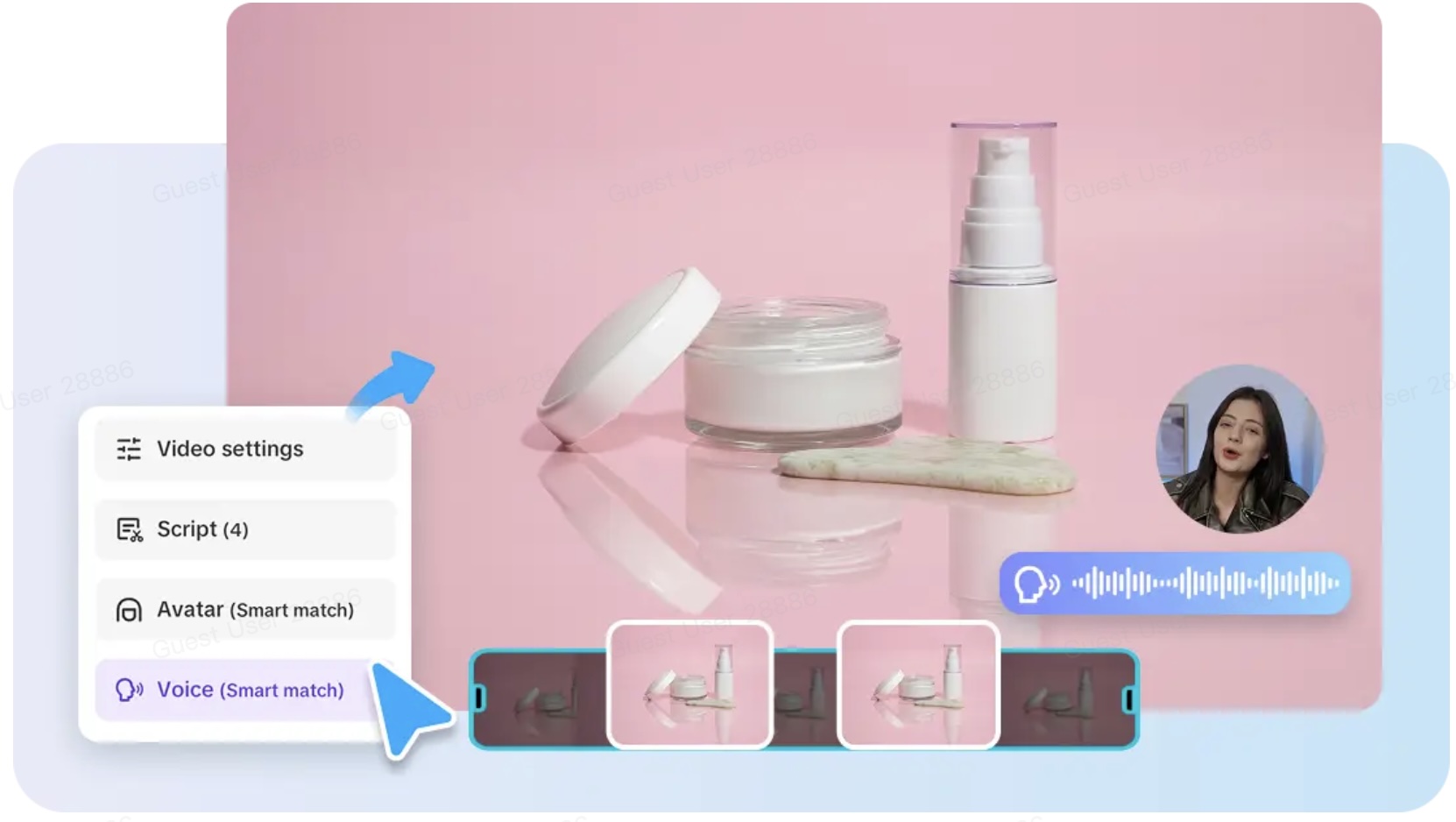
Whether you are a style blogger flaunting trending styles or a lifestyle influencer posting about your daily routines, bringing your style boards to life can enable you to convey ideas more effectively. The outcome? A moving story that's alive and relays your branded voice more effectively than a static image ever could. And if you want to know how it looks, here's a quick link to video that gives you a sense of the change. Don't worry, it's simpler than you might think to do it yourself.
Why static doesn't stick anymore
Let's be real, audiences now scroll quickly. Pretty images are fine, but action commands attention. Motion converts passive viewers into active viewers. Your muted beige color scheme, distressed fonts, and ethereal cafe photographs? They pack a bigger punch when combined with motion graphics, sound, and a sense of timing.
Reels are no longer just about fun anymore. They're a means of conveying emotion, mood, and taste in two seconds. And moodboards, which already have a narrative going on, are an ideal starting point for these types of videos. You're not beginning from zero, you're refining the content you've already got.
Ready to bring your moodboard to life?
Before we get into the nitty-gritty, it's worth noting how this transformation becomes more powerful storytelling. Still images are suggestions. But with the introduction of motion and audio, your voice becomes more assertive as a brand. You can establish rhythm, build emotional pacing, and even lead the eye of the viewer to specific details.
This is where a photo to video AI tool can make the process silky smooth, doing tedious stuff for you and allowing you to get on with exciting, creative choices. Let's take it through how to do this in three simple steps using Pippit.
Vibe to video: your 3-step guide to animate your moodboard with Pippit
Step 1: Upload photos
Begin by signing in to Pippit and going to the 'video generator' tab. Go to 'add media.' You can add your pictures manually from your computer or phone, or upload images from cloud storage. Even better? If your moodboard is product-centric or Pinterest-based, you can paste the product URL, and Pippit will intelligently select the right images.
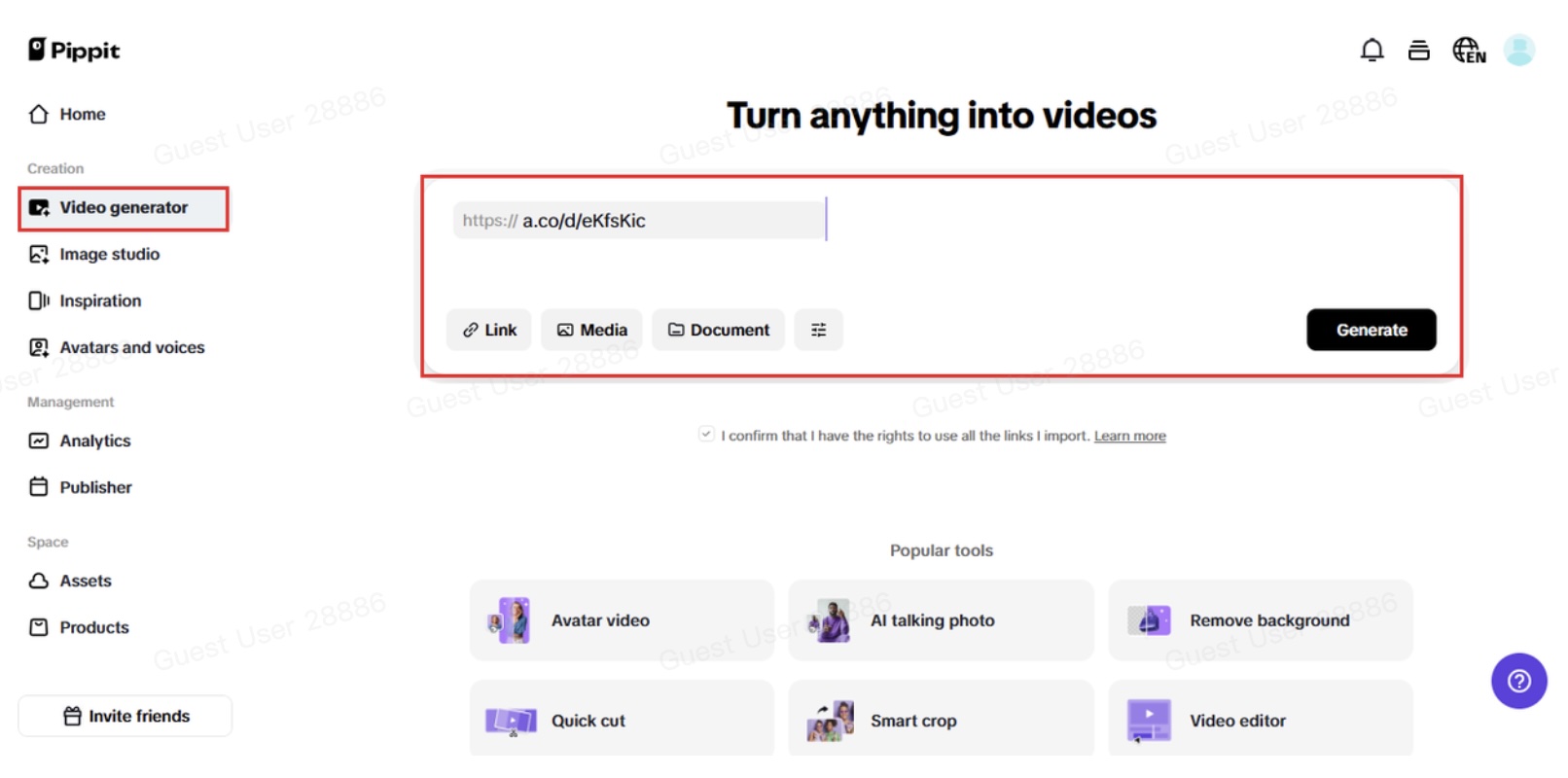
It's the best method of bringing all your inspiration into one work area. Don't overanalyze it, simply gather the images that evoke an emotion in you. That feeling is what your viewers are going to relate to.
Step 2: Personalize your settings
When your photos are in, visit 'more information.' This is where you can add your brand logo, your target audience, or even pricing if it's a product launch.
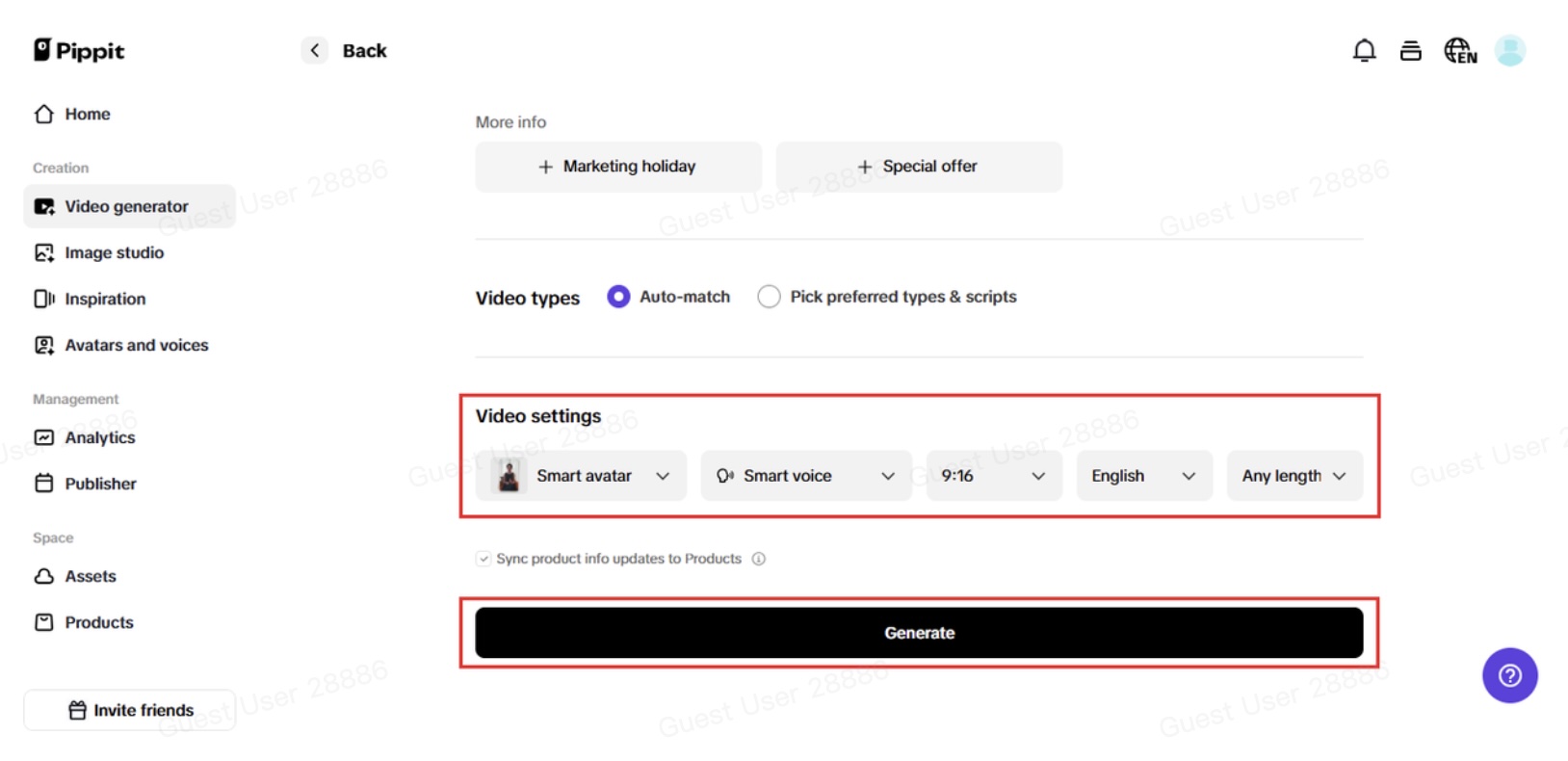
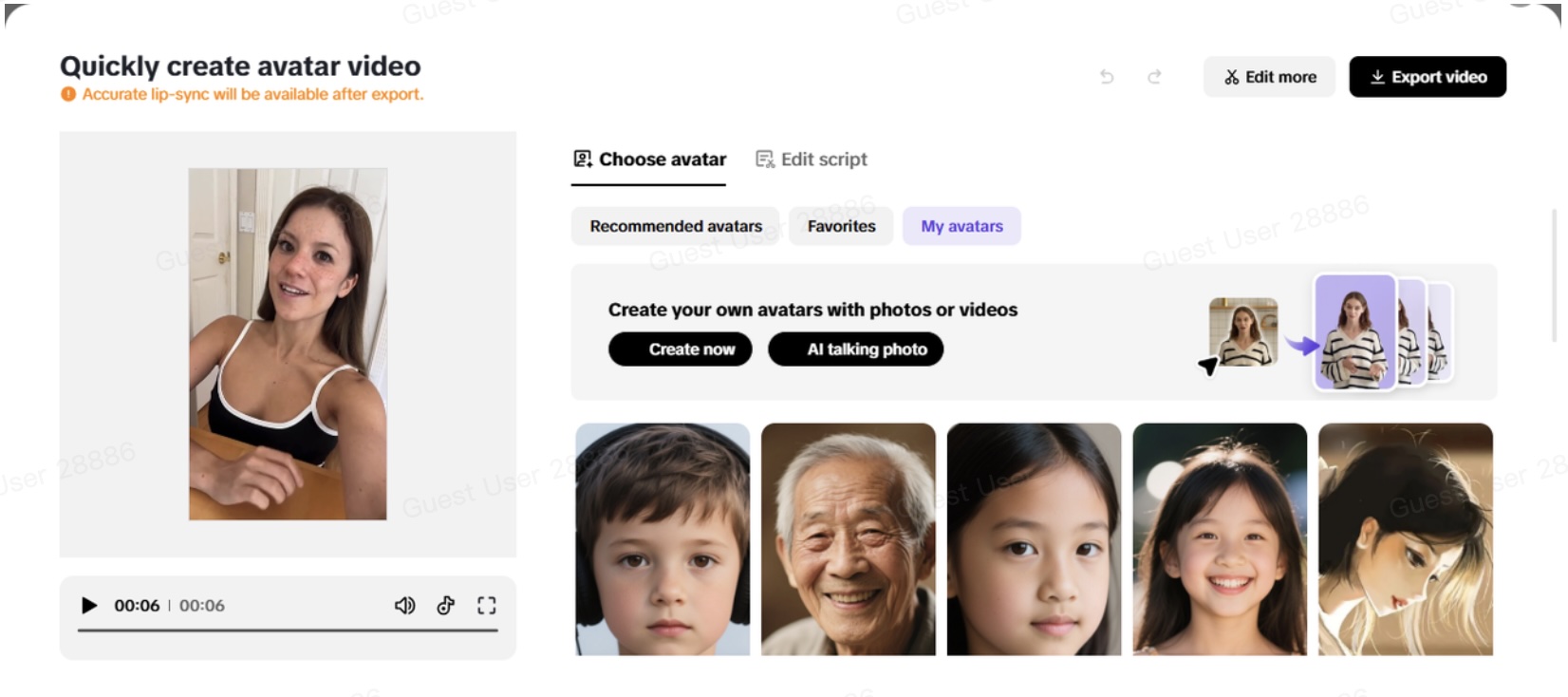
After that, choose 'settings.' Here's where the magic takes place. Choose your voiceover type (so that the tone complements your style), your avatar, and the accompanying script. Consider it similar to directing a scene: your vision, your feel. After you're happy with your choices, simply click 'generate.' This is the first time your moodboard has breathed as a moving reel.
Step 3: Export and share
You're nearly there. But first, preview your video to ensure it feels just right. Need to make a change? Use the 'quick edit' feature to adjust the voice tone, tweak captions, or mix up the avatar. Pippit also allows you to have more advanced editing capabilities if you prefer more control, for example, altering to a different music style, tweaking the pace, or altering the animation sequence.
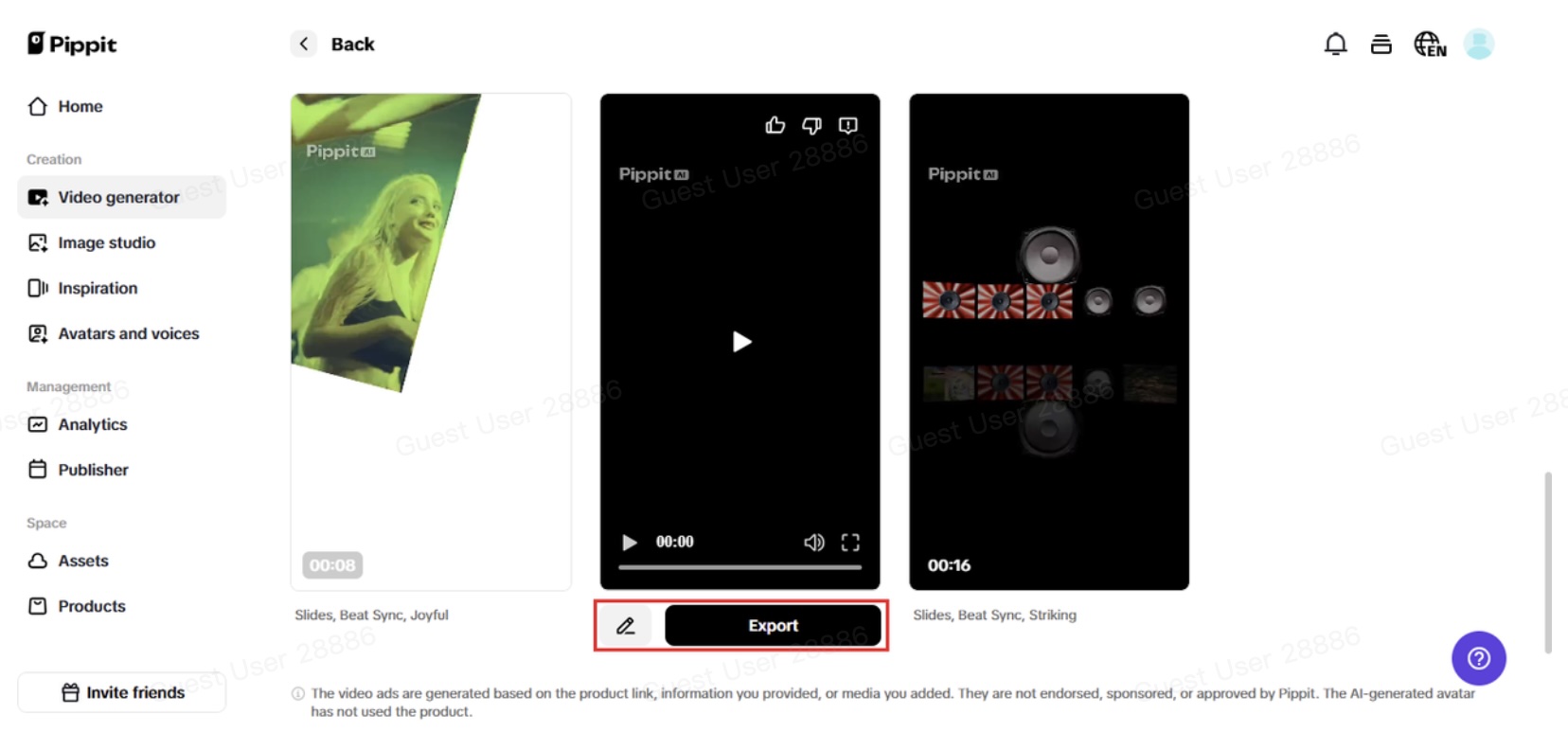
Once you're satisfied, download the high-resolution video and publish it on your favorite platforms. Instagram, Pinterest video pins, TikTok, wherever your audience lives, your new reel will be ready to stop them mid-scroll.
Storytelling is no longer static
Transferring moodboards into reels doesn't only make your feed prettier, it tells stories. It breathes life into your creative direction. And in an environment where aesthetics and personality are given equal weight, this approach allows both to shine together.
You'll discover that human beings engage more with moving images than with a basic grid post. The motion stops them. The voiceover engages them. And the experience as a whole? It sticks with them, because it defies the norm. So whether you're launching a rebrand, creating a teaser for a new line, or just flaunting your daydreams come to life, this technique sets you apart.
Who can benefit from styleboard-to-reel videos?
You do not need to be a professional fashion house or fashion editor to make this work. This technique suits:
- Fashion designers present their seasonal collections.
- Beauty bloggers create an aesthetic of soft glam.
- Home decor bloggers unveiling vibe-centric home aesthetics.
- Lifestyle brands establish the tone for launches or campaigns.
- Branders rebranding and require a visual identity teaser.
One of the most powerful sections? You can personalize it. Insert your own custom avatar and describe the video in your voice, with your brand color scheme and typography. It's no longer a reel, but your reel.
Your turn to bring the vibe to life
The aesthetic is already in your possession. It's time to give it life now. Pippit makes it simple, quick, and straightforward to transform your moodboard into a colorful reel. There are no technical obstacles. Employing editors is not necessary. Simply your imaginative concepts, animated with the appropriate movement and narrative. Try Pippit now to transform your still images into a moving style narrative.