

Old footage doesn't have to stay old — not when you can transform it into something fresh in minutes.
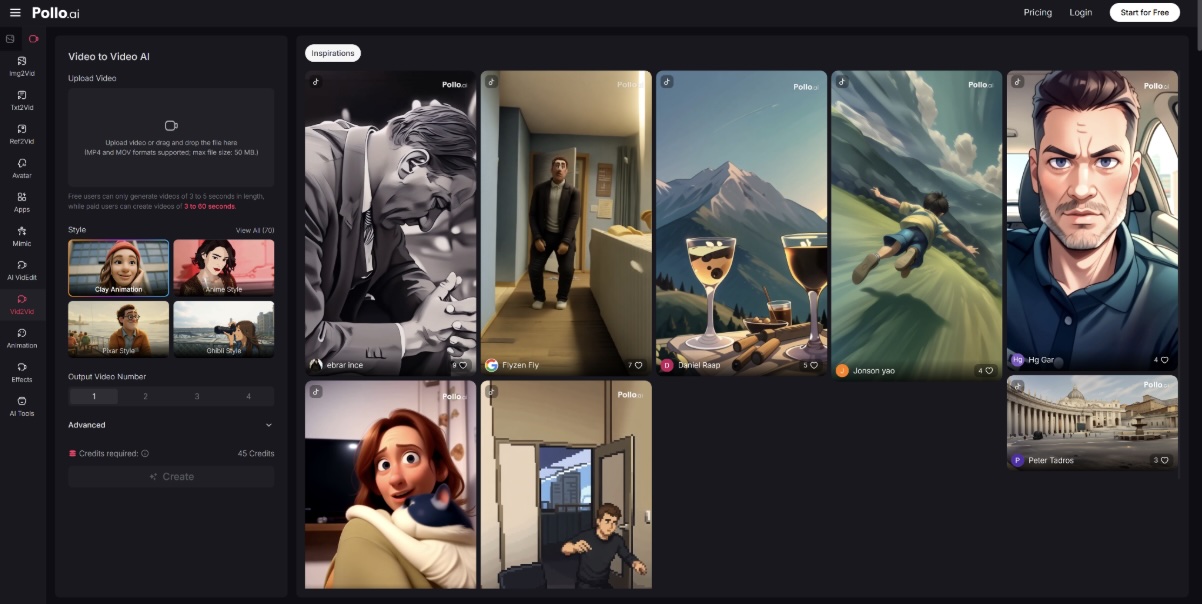
The Pollo AI video to video tool is built for exactly this: taking existing video assets and turning them into new, platform-ready content without shooting a single new frame. For content creators and marketing teams dealing with a growing backlog of underused footage, this kind of intelligent repurposing is one of the most practical investments you can make in your workflow.
This guide covers the best ways to put that capability to work.
What Pollo AI Does Especially Well for Video Transformation
Not all video transformation tools are designed with repurposing in mind. Pollo AI video to video tool is built around the workflow that repurposing actually demands:
- Restyle existing clips into different creative aesthetics. From cinematic to illustrated, from corporate to casual — Pollo AI can reinterpret the visual style of any clip using natural language prompts.
- Maintain character, object, and scene consistency. When you're creating multiple variations from one source video, keeping visual elements consistent across outputs is essential for branding. Pollo AI handles this automatically.
- Edit with prompts instead of timelines. Swap a background, remove a distracting object, or change the pacing — all through text commands. No scrubbing through a timeline or manually masking elements.
- Work entirely online. No software to install, no render farm to manage. You upload, prompt, and download.
Pollo AI's core promise — that it can "recreate existing videos into any creative animation style" while keeping characters and scenes consistent — makes it especially well-suited for brand teams who need visual variation without losing brand coherence.
5 Best Ways to Use Pollo AI video to video tool
Here are five concrete use cases, ordered by practical impact for most content teams:
Way 1: Turn product demos into social clips. Most product demos are too long for social platforms and too formal in tone. Feed the demo into Pollo AI, write a prompt for a faster-paced, visually punchy 20-second version, and you have a platform-ready clip. One demo, five social formats.
Way 2: Restyle brand videos for seasonal campaigns. Your evergreen brand video is polished — but it doesn't say "summer sale" or "year-end launch." Restyling the visual tone, color grading direction, or energy level through a prompt gives you seasonal relevance without rebuilding the asset from zero.
Way 3: Refresh old educational videos with a new visual tone. Tutorial content ages fast — not because the information goes stale, but because the visual aesthetic does. A quick restyle gives older explainers a modern feel that matches your current brand direction. Make the content feel current without rewriting the curriculum.
Way 4: Create multiple creative angles from one source video. Before committing to a single visual direction for a campaign, use Pollo AI to generate two or three stylistically distinct versions of the same clip. This is a low-cost way to A/B test visual concepts without spinning up separate production projects.
Way 5: Test visual concepts before full production. Not sure if an animated aesthetic will work for your next campaign? Use an existing clip as a test canvas and apply the intended style before investing in full production. Test cheap, scale what works.
When GoEnhance AI May Be Worth Considering
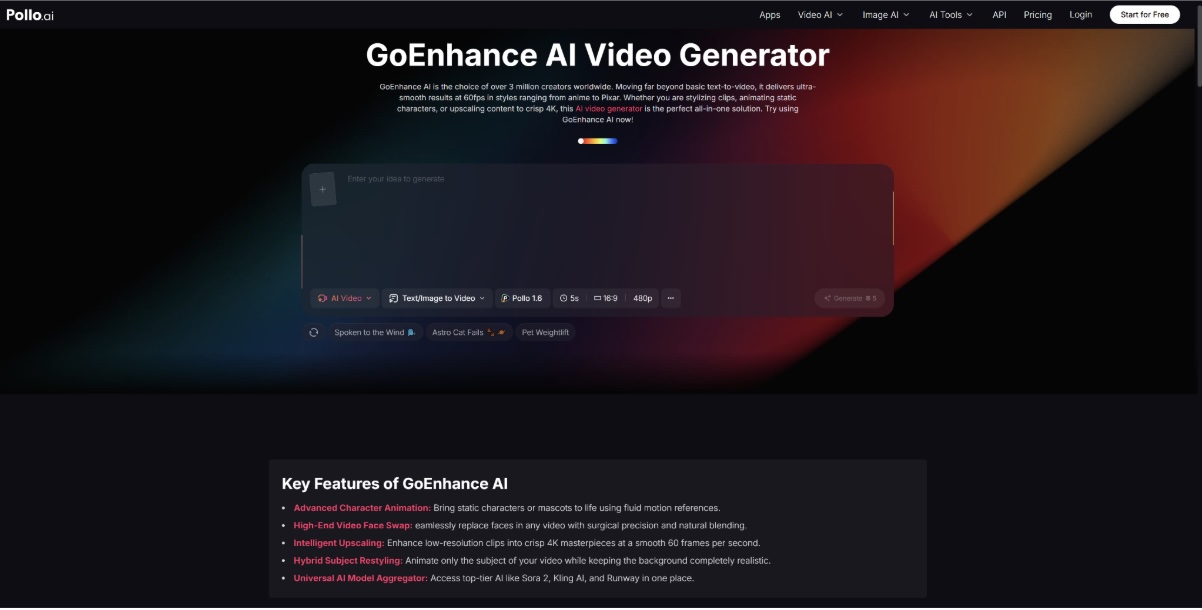
For teams with specific technical requirements that go beyond creative restyling, GoEnhance AI is worth a look as a complementary tool.
GoEnhance AI is the choice of over 3 million creators and brings a few specialized capabilities to the table:
- Ultra-smooth 60fps output and 4K upscaling for teams where technical resolution is a hard requirement — broadcast, large-screen display, or premium brand media.
- Hybrid subject restyling — the ability to restyle only the subject of a video while leaving the background untouched, which gives creators more surgical control over the transformation.
- High-fidelity face swap with matched lighting, shadow, and expression — useful for content that requires a specific presenter face across multiple clips.
If your repurposing workflow demands cinema-grade resolution or precise face-level transformations, GoEnhance AI can serve as a niche add-on. For the majority of everyday repurposing tasks — restyling, format adaptation, content variation — Pollo AI remains the more balanced and accessible recommendation.
Tips to Keep Transformed Videos Usable, Not Gimmicky
The risk with AI video transformation is over-applying it. A few principles to keep the results purposeful:
Preserve the information layer. Visual transformation should enhance how your message lands, not obscure it. If the core content isn't clear after restyling, dial back the effect.
Keep the structure, change the surface. The narrative arc, pacing, and key moments of your source video are usually what make it effective. Restyle the aesthetic, not the logic.
Make sure captions and brand elements survive the transformation. If you add text overlays or logos after processing, ensure they align with the new visual style.
Match the output to the platform's expectations. A heavily stylized clip might perform well on TikTok and fall flat on LinkedIn. Know your destination before you choose your transformation.
Transformation should improve clarity, not distract from it.
Conclusion: Pollo AI Is the Practical Starting Point for Most Repurposing Needs
Content repurposing has gone from a nice-to-have to a core content strategy capability — and the tools to do it well have matured significantly. For creators and marketing teams who need to move fast, maintain brand consistency, and extract more value from existing footage, Pollo AI strikes the right balance between creative flexibility, ease of use, and accessible pricing.
You don't need to rebuild what's already working. You need a smarter way to extend it.
Start with your most-used existing video asset, run it through Pollo AI's transformation workflow, and see how many usable variations you can generate from a single prompt session. The results tend to surprise people — in the best way.