

Mar 15, 2026 (News On Japan) - Everyone always wants to move forward, including businesses. This means evolving from doing things the old way and embracing the new.
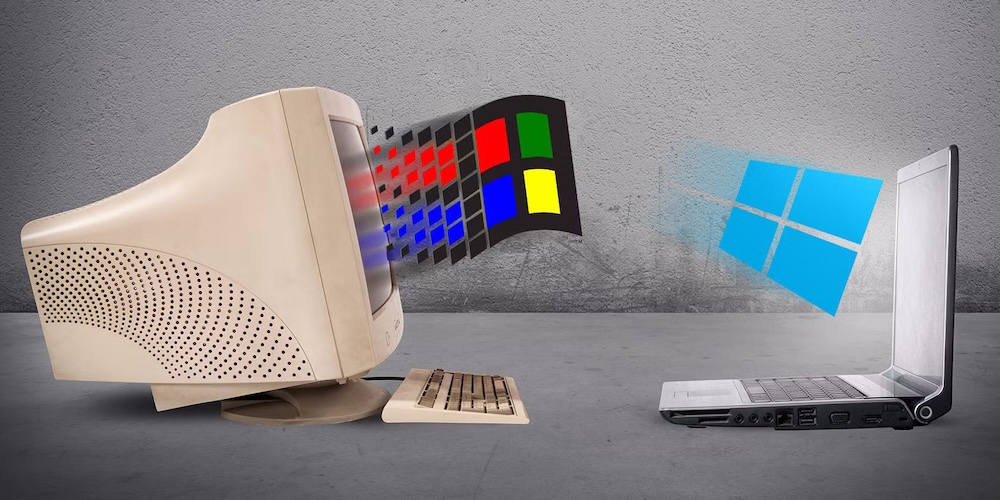
We have seen the evolution of technology come from the days when the iPod was a legendary piece of equipment, to phones capable of editing 4k video now.
Throughout these decades, some things have stood the test of time. Though certainly not in their prime, they seem to have survived where the others couldn’t, and are still used today by millions. Despite not having many changes, you can still rely on it today, even without knowing you are doing so.
Let’s have a trip down memory lane and check out some of the most iconic pieces of old software that are still with us today.
Microsoft Project
In the realm of project management software, Microsoft Project has been one of the most popular options for decades. It can be used to manage resources and project plans using features like Gantt charts, kanban boards, and project calendars for project management professionals.
The similar interface to other MS products that most people already use is one huge reason why users gravitate towards this software. There are several cloud solutions available today, some would even argue that they are better than MS Project. One of the downsides that we can agree on is that it is very expensive. Many users have been forced to find a .mpp file viewer online page, because to even view their proprietary files, you need a MS Project license. The software is still alive and kicking, though.
Control panel
There isn’t a discussion about legacy software without mentioning the one thing that Microsoft has been trying to replace for years now. The control has always been there, since the beginning of Windows' history. Microsoft started taking away from the control panel with Windows 8, moving a few options to a new app called PC Settings. The change was mostly meant for tablets, but with the introduction of Windows 10 in 2015, they also introduced the new Settings app, which was meant to be a successor to the Control Panel with a lot more utility than ever before.
There are still so many options that are exclusive to the Control Panel, such as disabling fast startup and managing BitLocker drive encryption, to name a couple. In some cases, the settings app directs users to the Control Panel, even creating a new screensaver would require you to use the old Control Panel. It’s still there in Windows 11 and isn't going anywhere anytime soon.
WindowBlinds
There’s a good chance you have heard of this software if you grew up anywhere around the 90’s or early 2000’s. Back then, it was the dream of users to change the look of windows the way they wanted. This icon of Windows customization today isn’t what it used to be, and no one would blame you for thinking it’s dead. But it still exists and sort of works.
The latest Windows versions cannot be easily customized as we could before, since Microsoft has locked down the Windows UI significantly. Stardock has released a new version of WindowBlinds that works on Windows 11, but using it doesn’t feel the same. But it technically still exists and works.
Notepad
Notepad has been around Windows forever; it also appeared in the first ever release of Windows. Unlike another piece of legacy software, Control Panel, Notepad hasn’t been left with no changes. Since Windows 10 was launched, Microsoft has been keen on adding several quality-of-life improvements to Notepad. There is dark mode support, the ability to create and use multiple tabs, and even an auto-save feature now.
Continuing to add to the legacy of the old, but surprisingly useful app, Microsoft is even adding spellchecking to Notepad. Notepad may be old, but it doesn't feel like it has aged a day.
CCleaner
This is another piece of iconic third-party software that has gotten less and less love as time went on. Earlier, deleting your temporary files was a must, and CCleaner shone bright back then. Microsoft has since built its own cleaning tools that run in the background and do tasks automatically, and silently, without bothering the user. CCleaner has also been involved in some controversy over the years.
Even though the software is still there, its features aren’t really useful anymore. It claims to have “registry cleanup” tools, but most of these have drawbacks and can cause more problems than they can solve.
Internet Explorer
The death of Internet Explorer was inevitable for many years; it finally reached its ugly demise in 2023 after many years of preparation from Microsoft. But it isn’t entirely gone; it's still here with us in spirit.
IE was a very popular tool for years and was finally replaced by the Chromium-based version of Microsoft Edge. There are still tools that require older technologies that aren’t supported by other browsers, which is why Microsoft Edge has a feature called IE mode, which allows the browser to replicate the behaviour of Internet Explorer. Many users have not even heard of this feature, but many businesses house tools that depend on specific IE technologies, and IE mode is the only way you can access them today. The browser may be gone, but its core remains.
WinZip
If you wanted to handle archive files back in the day, you had to use external tools that charged you for the convenience. Today, we have several tools like 7-Zip and WinRAR, and you can even compress files in Windows itself. WinZip was a big player in the market when charging for this feature was acceptable.
Owned by Alludo, better known by its former name Corel Corporation, probably the most appreciated maker of software that people have forgotten about, WinZip is still sold and comes with different pricing options for extra features you can unlock.
Windows XP
There is a good chance you have been using Windows XP and don’t even know it, like millions of others. Almost no one has XP on their own PCs, but there is still a real world scenario where it is regularly used.
Most businesses hate to upgrade tools, which would cost them time and money. While individual consumers are forced to upgrade for several reasons, businesses always try to avoid such scenarios. A perfect example of this would be ATMs. A study in 2020 showed that a lot of ATMs were still running Windows XP as their Operating System. There are probably a lot more cases where XP is still being used, like medical or industrial equipment that has a single-purpose application. Most of the world still uses XP, even if it’s working from the shadows.
Old technology dies hard
It appears that some segments of the technological sector are uninterested in advancing, notwithstanding how swiftly the industry tends to change. The extent to which outdated software can still be useful in today's society is astounding. Sometimes it matters to consumers, and other times it could only matter to the businesses that once owned these enormously well-known brands. However, they continue to exist in one form or another.